mdee: Markdown in the Terminal for Viewing and Editing
In the realm of developer tools, the terminal remains a powerful and often preferred environment for many tasks. From coding to system administration, staying within the command line can streamline workflows and boost productivity. This preference extends to documentation and content creation, particularly with Markdown, a ubiquitous format for everything from READMEs to blog posts.
This article explores mdee, a new terminal user interface (TUI) designed specifically for viewing and editing Markdown files. It aims to bridge the gap between the rich formatting capabilities of Markdown and the efficiency of a terminal-first approach, offering a seamless experience for those who live and breathe the command line.
What is mdee?
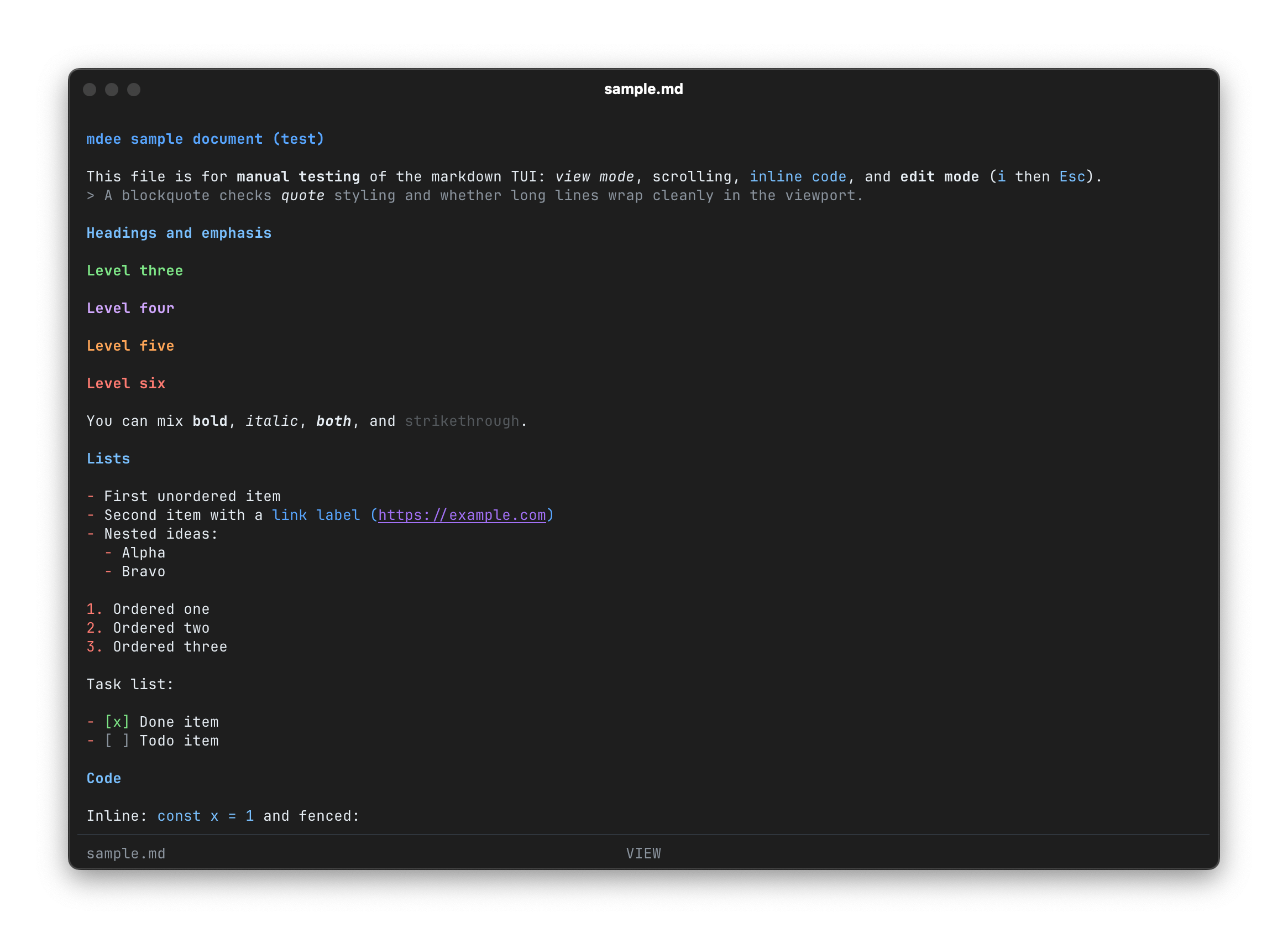
mdee, short for 'markdown in the terminal,' provides a dedicated environment for interacting with .md files directly from your terminal. Its core promise is to allow users to view and edit Markdown content without ever needing to switch to a graphical editor or browser. The project emphasizes an aesthetically pleasing presentation within the terminal, aiming to render Markdown in a readable and structured format.
Installation
Getting started with mdee is straightforward. The project provides a simple curl command for installation:
curl -fsSL https://mdee.bkh.dev/install | bash
This command fetches and executes an installation script, setting up mdee on your system. For more details, the project's GitHub repository is available.
The Terminal-First Philosophy and Use Cases
The concept of a TUI for Markdown naturally raises questions about its specific utility, especially when compared to feature-rich graphical Markdown editors or web-based renderers. One Hacker News commenter articulated this point:
I find it aesthetically pleasing, but if I'm correct, it's very difficult to see in the terminal how it would appear when opened in the GUI, isn't it? I mean, I'm thinking what could be my use-case...maybe it's relevant only for people that work 100% of their time on the terminal? (Do they exist?)
This comment highlights a key distinction: a TUI's rendering will inherently differ from a GUI's, which can display fonts, colors, and layouts with more fidelity to a browser or desktop application. However, mdee isn't designed to be a pixel-perfect previewer for web content. Instead, its value lies in its integration into a terminal-centric workflow.
For developers, system administrators, or technical writers who spend significant time in the terminal—perhaps connected to remote servers via SSH, managing Git repositories, or scripting—mdee offers immense convenience. It allows for quick edits to READMEs, project documentation, meeting notes, or blog drafts without context switching. The ability to open, read, and modify Markdown files without launching a separate application, especially in environments where GUI access is limited or undesirable, is a significant productivity booster. While a direct visual comparison to a browser rendering might not be the primary goal, mdee aims to provide a functional and readable representation within the terminal's constraints, prioritizing efficiency over exact visual parity.
Conclusion
mdee represents a focused effort to enhance the terminal experience for Markdown users. By providing a dedicated TUI for viewing and editing, it caters to a specific niche of users who prioritize command-line efficiency and a cohesive terminal environment. While it acknowledges the inherent differences between terminal and graphical rendering, its strength lies in its ability to keep users productive within their preferred shell, making Markdown management a more integrated part of their daily workflow.